
Generate credentials
It's recommended that you use a development app for testing, so make sure it's been added to Mantle first. See our Add missing apps to Mantle guide if need help adding your dev app.
Here's how to generate a Mantle API key for your app:
-
Navigate to the left sidebar and select your app.
-
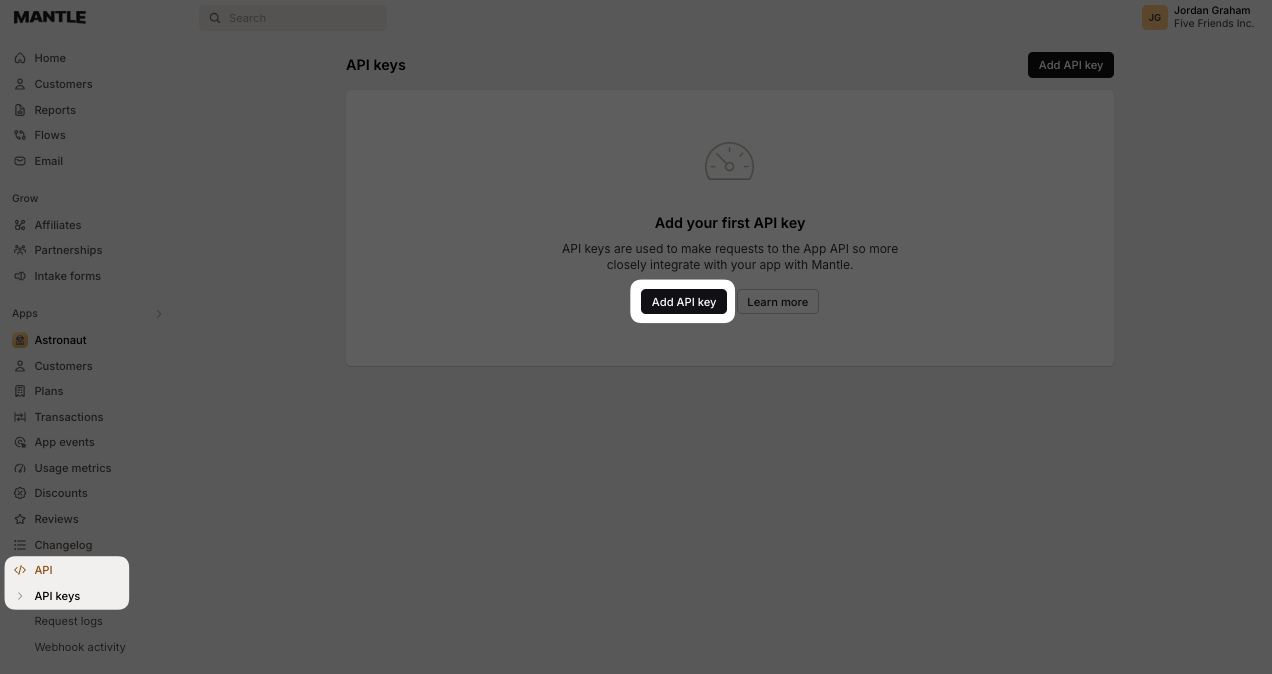
Click on API and then Add API key:
-
Provide a name for your API key and click Create:
Make sure to record these details, as they are required in your .env file or as environment variables on your web server for a production app.
Add Mantle to your app
In your .env file (for local development) or in the environment variables for your project, you'll need to add the following variables:
MANTLE_APP_ID="YOUR_APP_ID_FROM_THE_PREVIOUS_STEP"
MANTLE_APP_API_KEY="YOUR_API_KEY_FROM_THE_PREVIOUS_STEP"
MANTLE_APP_API_KEY should be kept secret, so do not commit this value into source control, and do not expose it in the frontend of your application. This API key should only be used in your app's backend web service, specifically when identifying your customer to Mantle using the /identify endpoint.
Updated over 1 year ago